How to Triage Member Feedback in Discord: Sort by Who Can Fix It, Report Back Weekly
Six signs your feedback channel is one unsorted pile, three buckets with a reply and a time limit for each, and a weekly post that shows members where their feedback went.
TL;DR
The three buckets at a glance
Every piece of member feedback goes into one of three buckets. The bucket is chosen by one question: who is able to act on this?
| Bucket | What goes in it | Time limit I use | What the member hears |
|---|---|---|---|
| One: the community team can fix it | A channel, a role, a bot message, a pinned post, wording | Two working days | That it is done, and what changed |
| Two: the product or engineering team must decide | Anything that changes the product itself | The next weekly note, so a week at most | The date it was passed on, and that no promise is made |
| Three: outside the company's control | A platform limit, or a fixed pricing or legal constraint | The next working day | That it cannot be done, the reason in one sentence, and the nearest workaround |
That table is the method. One named person sorts every new item into a bucket each working day. Each bucket is answered in its own way and inside its own limit. Once a week the whole server reads a short post that reports on all three.
Some Discord words appear below, so here they are once. A server is the community's whole space, and a channel is one room inside it. A role is a label on a member that controls what they can see and do. A bot is an automated account that posts or acts in the server. A pinned post is a message fixed to the top of a channel.
I managed BlueWillow's Discord through its rise from about 1K to 1.7M members, and I still sort feedback this way.
Check whether your feedback is being sorted
Before changing anything, read back through two months of your feedback channel with this list beside you.
✅ The same suggestion is posted again every few weeks, often by a different member.
✅ Staff reply "thanks, passed along" and nothing follows.
✅ Small fixes, such as a broken link or a typo in a pinned post, are reported and left for weeks.
✅ The product team receives raw screenshots with no explanation of what the member wanted.
✅ Thanks, special roles or gifts go to whoever posts the most.
✅ Members who used to write long, detailed posts have gone quiet.
Each line has a cost. Reposts mean nobody told the first member what happened. "Passed along" leaves a member unable to tell whether anyone will act. Small fixes left undone teach members that reporting is pointless. Raw screenshots give your team no goal and no sense of scale. Rewards for volume bring more posts of the same quality. The last line costs the most, since quiet veterans are the members who know the product best.
Why the pile forms
The six signs share one cause. Everything is collected in a single place, and no item has a person's name on it.
With no owner, a staff member has nothing to say except "passed along". With no separation, a ten-minute wording fix queues behind a request that needs an engineering decision. With no agreed handover, forwarding screenshots is the only route to your team.
Labelling posts by subject does not help. "Bug" and "idea" describe the content of a post, and neither says who has to move. Asking who is able to act puts an owner on every item the day it is read.
What each bucket's reply says
The replies are short on purpose. Each one tells the member the single thing they need to know.
BUCKET ONE, sent once the fix is live
Done. The welcome message now links to the right help channel,
and the old link is gone. Thanks for spotting it.

BUCKET TWO, sent the day the weekly note goes
I passed this to the product team on Monday 12 October. I can't
promise it will be built, and I can't give a date. If there is
news, it will be in the weekly feedback post.

BUCKET THREE, sent by the next working day
We can't do this one. The privacy terms every member agreed to
do not let us share anyone's contact details. The nearest option
is the introductions channel, where you choose what to share.
A few rules sit behind those scripts.
- Bucket one says what changed. The member should be able to go and see it. If the fix cannot be made inside two working days, it most likely needs another team's decision, so move it to bucket two.
- Bucket two gives a date and makes no promise. The community team cannot commit your team to anything, and the member is told that in plain words.
- Bucket three is closed the same day. A request that can never move should not stay open. Left open, it is reposted every few weeks and has to be answered again.
- When in doubt, choose bucket two. If the sorter is unsure whether a constraint is truly fixed, a person with the authority to say so should make that judgment.
The weekly note to the product team
Bucket two is where a Head of Product feels the difference. Once a week you receive one note per item, always in the same four lines. The example uses an invented product, a shared calendar app.
What the member is trying to do:  Send a week's schedule to someone outside their team
What happens now:                 They screenshot each day and paste the images into an email
How many members raised it:       6 since the start of the month
One example in their words: "I just want one link I can send to a customer."- The first line states the goal. Members usually propose a solution, and the goal behind it is what your team can work with.
- The second line describes the current workaround, which shows how much effort the gap costs them.
- The third line is a count. When the same suggestion comes in again, the sorter raises this number and opens no new item.
- The fourth line is one quote, unedited, so the member's own wording reaches you.
What your team does with the note, and how its decision is announced, is a separate process. This method covers the handover and stops there.
One sorter, ten minutes, every working day
Sorting is a named job. One person does it at a fixed time each working day, and a second person covers when they are away. Shared across a team, it gets skipped, with everyone assuming a colleague has it.
The ten minutes go like this. Read each new item. Give it a bucket and an owner in the log. Answer bucket three items there and then. Pass bucket one items to whoever will make the fix. Add bucket two items to the week's note. Ten minutes is enough when the sort happens daily, since the sorter only ever faces one day of posts. Left for a week, the same work turns into a long task that is easy to postpone.
The sorter never judges whether a suggestion is a good one. The only decision is who is able to act on it.
Keeping the log
Six columns are enough.
| Date | Member | Summary | Bucket | Owner | Status |
|---|---|---|---|---|---|
| 5 Oct | Member A | Welcome message links to an old channel | One | Sorter | Closed |
| 5 Oct | Member B | Wants a shareable schedule link | Two | Product | Passed on |
| 6 Oct | Member C | Wants a list of member emails | Three | Sorter | Closed |
Status takes one of three values. Open means the member is still owed the reply their bucket requires. Passed on means a bucket two item has reached the product team and the member knows the date. Closed means the reply has been sent and nothing more is owed.
Keep the log in a spreadsheet, or keep it inside Discord in a forum channel, a channel type in which every post is its own thread, or separate conversation. Forum channels support tags, which can be required on every post, according to Discord's help center (2024). Make the forum visible to staff only, add one tag for each bucket and switch the requirement on. Each item becomes one post, and the sorter cannot file it without choosing a bucket.
The weekly post to the whole server
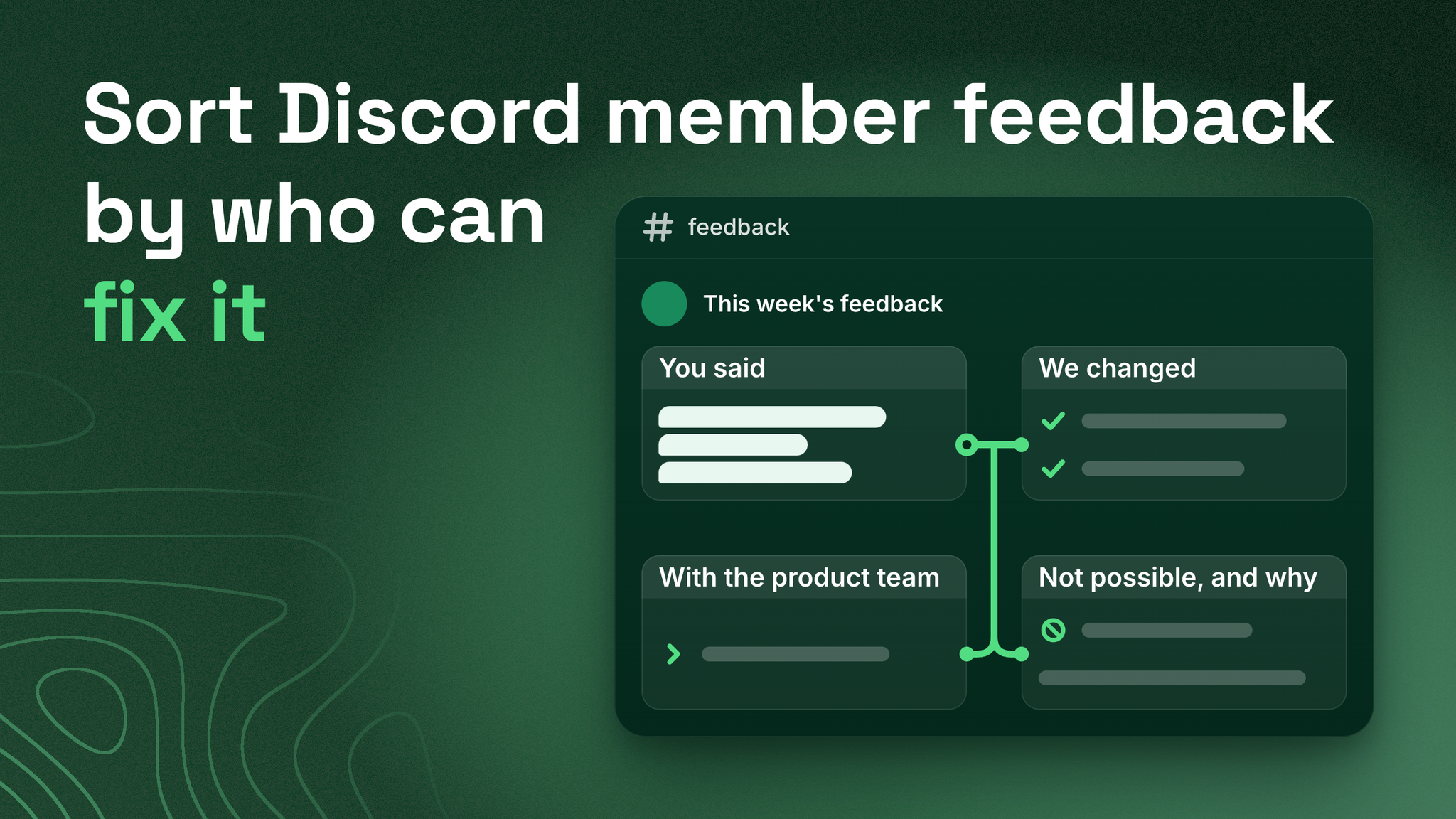
Members who gave feedback need to see where it went, and so do the members who were thinking the same thing and said nothing. A weekly digest does both. Publish it on the same early-week day every week in a channel all members can read. Mine goes out on Tuesday. It has four parts, each a few lines long.
FEEDBACK THIS WEEK

YOU SAID
14 new items. The most common were sending a schedule to people
outside your team, and not knowing where to ask for help.

WE CHANGED
- The welcome message now links to the right help channel.
- The Helper role is now named Community Helper, so nobody
  mistakes it for staff.
- The reminder bot now states which time zone it is using.

WITH THE PRODUCT TEAM
- A shareable link for a week's schedule. Passed on Monday,
  raised by 6 members. No promise and no date.

NOT POSSIBLE, AND WHY
- A public list of member email addresses. The privacy terms
  every member agreed to do not let us share contact details.
  Use the introductions channel to share your own.
Each part has a job.
- "You said" shows that the team read everything, in two or three lines.
- "We changed" lists the bucket one fixes. It proves that reporting a small problem gets a result.
- "With the product team" lists what was handed over, with the date and the count, and repeats that nothing is promised.
- "Not possible, and why" gives each refusal with its reason. This part is what ends the repeated suggestions.
Deciding what to reward
Rewards steer what members post next, so set a rule and give it to staff in writing. Feedback earns a reward when it is all three of these:
- Specific. The post says what happened and where it happened.
- New. The item is not already in the log.
- Usable. The person who has to act could begin without asking the member anything.
For the reward itself, use recognition or access. That can be the member's name beside the relevant line in "We changed", or an early look at something before others get it. Keep it small and short. Staff should not give gifts for any comment at all, since that habit is what sends rewards to the most frequent poster.
The number that tells you it is working
One figure from your own log is enough. Each week, count the items marked Open that have passed their bucket's limit. That means more than two working days for bucket one, more than a week for bucket two, and more than one working day for bucket three.
Aim for zero. If the count climbs, check two things. The sorter may not be getting their ten minutes. Or items that needed another team's decision are being filed in bucket one, where they cannot be finished.
For a first step, sort the last twenty posts in your feedback channel into the three buckets in one sitting. The size of the bucket one group will show how many quick fixes have been waiting.
Where this sits among the other community systems
Sorting and answering feedback is one piece of community reporting and escalation paths, which cover how information travels from members to the company and back. Next to it are support routing, the system that sends a member with a problem to the right place, and documentation, the written answers members can find for themselves.
A feedback channel stays useful when every post in it gets one of three answers and members can read all three in the same place each week. More at danieljeong.org.
Want a properly managed community?
Get Your Free Analysis →